Max Doerflinger’s Birth & Baptism Certificate

Today’s topic is the birth certificate and the baptismal certificate for my maternal grandfather, Maximillian Adolf Doerflinger.  Maximillian was born on March 14, 1908 in Butte, Silver Bow, Montana.  He married Margaret Janice Harney in Seattle, King County, Washington on 12 June 1934.  Maximillian and Margaret had six children: Eugene William Doerflinger (1935-1961), Donald Doerflinger (1938-2007), Sharon Doerflinger (1959-2010), and three children who are still living.

From Elyse’s Genealogy Blog

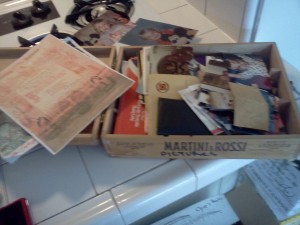
Both of these certificates were found in a dark green metal box that belonged to my mother.  In July of 2010, after my mom had passed away, my aunt and cousin came from Seattle, Washington to visit.  My mom and I had stored a few things in the basement of their home before we moved and while we had every intention of going to get the stuff, we never did.  So my aunt and cousin brought a few random boxes down for me.

I honestly did not even remember ever seeing the green box and I was skeptical as to what could be in it that was so important that we didn’t need it for 10 years.  When I opened it, it was like opening a genealogical treasure chest.  I still can’t believe that my mom never mentioned these records to me.  Maybe she forgot she even had them.  Either way, I love that I have these records.

“Printing” to Microsoft OneNote

Earlier I wrote a post comparing Microsoft OneNote to Evernote.  Many people commented about wanting to learn more about the “print” feature of OneNote, so today I’m going to show you how it works.

But before I do that, I’d like to make a quick point: Just as with genealogy programs, everyone has their preference.  One program isn’t ‘better’ than another one – different programs will serve the needs and wants of different people.  Personally, I believe that we need a little competition because it will force some of these companies to constantly improve and add new features.

So how in the world do I “print” something to OneNote?  Let’s say I was surfing on WikiTree.com and I did a search for any profiles with the Dugger surname.  Then let’s say that I wanted to keep a copy of the page but I didn’t want to print it out on paper for fear of losing the page.  Here is what I’d do:

First, go to the page you want to print.  I’m using Chrome as my browser, so I go to the Wrench menu in the upper right hand corner and select print.

From Elyse’s Genealogy Blog

Once the print menu appears, select “Send to OneNote”.  Then click “Apply” and then “Print”.

From Elyse’s Genealogy Blog

Microsoft OneNote will then automatically open up and the page you ‘printed’ will now appear in the “Unfiled Notes” section of OneNote.  From here, you can simply drag and drop it into any notebook or section you’d like.  You can then highlight, draw, or write text all over the document.

From Elyse’s Genealogy Blog

It is just that easy!  I love this feature of OneNote and I use it all the time!

If you are having issues with OneNote, I suggest that you check out the Microsoft Office Blog to see if your questions can be answered.

Disclosure: I work for WikiTree as the WikiTree Evangelist.  The above images are screen shots from my computer screen, which feature pages from the WikiTree website.

Microsoft OneNote vs. Evernote (Part 1)

In the last month I’ve been playing around with Evernote and OneNote, two different note-taking programs.  I am a note-taking fanatic – between school, genealogy, church, and all of the other gazillion things I am involved in, I need to be able to take detailed notes quickly and easily.

A year or two ago, I played around with Evernote but just didn’t fall in love with it.  I was attracted to Evernote because I’ve seen so many blog posts written about it; how easy it is to use, very mobile, syncs with the web – the list of cool features was pretty long.  So I tried it.  But I didn’t fall in love.  I felt that the interface wasn’t as intuitive as I would have liked and I got confused a few times.  After a few weeks, I gave up and moved on.  If I had had a smart phone like a Blackberry or iPhone, I probably wouldn’t have given up so quickly because the fact that you can edit and view your files from your mobile devices is pretty amazing and crucial if you are a constantly-on-the-go sort of a person.  But the mobile access thing just isn’t as important to a non-smart-phone-carrying person like me.

When school started last semester, I realized I had to find a better way to keep my notes organized.  The majority of my professors wanted to fit a bazillion concepts into one lecture and did so by speaking a thousand miles a second.  Half way through the lecture, my hand was tired and my handwriting was nearly impossible to read.  So I started looking at different note-taking programs for the semester.  Since I had just installed Microsoft Office 2007, I decided to check out Microsoft OneNote.

I fell in love.  You can easily create different notebooks with sections (just like a binder with tabbed dividers) and then put notes into sections.  I created one notebook for the semester and sections for each of my classes.  Depending on the class, I created a new note for each class meeting or for each major topic.  Come term paper time, it was super easy to put all of  my notes on a certain topic together by just searching all of my notes for a particular key word or phrase.  I loved how I could download handouts and “print” them to my notebooks.  I could then use the highlighter feature to make my cursor into a highlighter and highlight any important features.  Or I could make my cursor a pen to circle things, draw lines to similar concepts, etc.  I could recreate any drawings my professors made on the board by using the pen feature.  It was awesome.

But what do my class notes have anything to do with genealogy?  Well I do pretty much the exact same things with my class notes that I do with my class notes.  I need the ability to…

  • “Print” stuff from websites and put it in my notebook with my other notes.  I could easily “print” my family group sheets, pedigree charts, website search results, etc to my notebook by selecting “Microsoft OneNote” as my printer.
  • Highlight & Draw Stuff.  When I’m on the research binge, I need to be able to highlight certain things or draw out my thoughts.  If I printed out a map to my notebook, then I could highlight important places or draw lines to connect different places.
  • Organize Similar to my Paper Notebooks: While I haven’t been using my paper notebooks too often, I do love the way I have them organized.  I need a program that can mimic my paper organizational system by giving each surname a divider/section and each paper fits within a section.
Do you use note-taking software?  Which software do you use?  What features are your biggest priority?

3 Reasons I Love WikiTree

Disclosure: I work for WikiTree as the WikiTree Evangelist – which means my job is to share my love for WikiTree with other genealogists.  But after posting this on Facebook, I just thought this was too perfect for a blog post not too share.  Please keep in mind that even though I work for WikiTree, I still mean every word.  These are my opinions after all and I wouldn’t post it to my personal blog if I didn’t mean it.

What is WikiTree?  In short, WikiTree is a 100% free website created by Chris Whitten in 2008 with the goal of creating a worldwide family tree.  What separates it from the gazillions of other genealogy and family history websites out there?  Well… you’ll have to read below to find out.

From WikiTree.com

Here are my 3 top reasons to love WikiTree:

1.) Chris Whitten, the creator and webmaster of WikiTree, really cares about this website. This website is his baby and he wants it to be a valuable resource for genealogists everywhere – but he understands that in order to make that happen, he needs the help of genealogists everywhere. If you make a suggestion, have a complaint, a questions, anything – Chris will take the time to answer you. He takes every suggestion and new idea into consideration.  Just take a look at WikiTree’s Facebook Page to see how involved he is in the WikiTree community.  Check out his LinkenIn profile to learn more about his professional experience.

2.) There are 6 Different Privacy Levels. Different profiles can have different privacy levels and can be shared with different people. In other words: You don’t have to choose to totally share or completely block your whole tree with the whole world. You can decide that it is fine with you if your distant ancestors are shared with the whole world. You can decide to keep your living relatives completely unlisted from the search and hidden. You can choose to share your Smith line with your Smith researchers – but that doesn’t mean they see your whole tree – just the profiles you tell them too. Either way, it is pretty amazing. You have the control to collaborate while also protecting your genealogy information.

3.) So Many Ways to Share. The bottom line is that some relatives won’t want to sign up for WikiTree because they just aren’t genealogists and frankly, don’t care nearly as much as you do. WikiTree offers the Wikid Shareable Family Tree to be shared on social networking websites like Facebook and Twitter. And for the bloggers out there, there are also embeddable family tree widgets. In both of these trees, the missing information is easy to spot and will *hopefully* inspire your relatives to help fill in the gaps.

So those are my top 3 reasons of why I love WikiTree.com and I highly encourage you to check it out too. I know that you’re thinking, “But Elyse, this is just ONE MORE THING to keep up with” and my response to you is that this one is worth it. Check it out. Try it. Play around. You’ll love it. And if you don’t, then tell us why. Give us ideas and constructive criticism to make it better.  And if you love us, tell us that too.  This is an amazing community to be a part of and I am one proud member of that community.

Mission: Organize My Desk is a Success!

Last week, I wrote about my goal to get my desk area in my new apartment organized and re-vamped.  I am happy to report that this mission has been a success!

From Elyse’s Genealogy Blog

This is the view of my desk area.  You’ll notice my file cabinet to the right with my 3-in-1 printer, copier, and scanner above it.  You’ll notice my laptop on the desk, along with my glass (for diet Pepsi – a must have fuel for research binges).  I also have a vertical file sorter that has 3 folders (related to bill paying) and my coupon organizer in it.  On the left, I have my plastic 3 drawer unit with my pen organizer and my keys on top of it.


From Elyse’s Genealogy Blog

This is the bulletin board that is on my wall near my desk that has a picture of my boyfriend and I, two Disney Tokyo ornaments that my best friend got me on her study abroad trip to Japan, and my shopping lists with the coordinating coupons attached.  Not seen in the picture is a gold chain with my Mom’s baby ring on it.

From Elyse’s Genealogy Blog

This is a close up photo of my filing cabinet with my 3-in-1 printer, copier and scanner on the top.  You’ll also notice the blue sticky notes – these are sorted into 3 different columns: Geneablogging, Teaching Blogging, and Work.  These are generally some ideas that I want to consider for the day.  If I don’t get to them, then the ideas are filed away into Microsoft OneNote.

From Elyse’s Genealogy Blog

This is my vertical file folder organizer that keeps all my file folders about bills and coupons organized and easy to access.

From Elyse’s Genealogy Blog

This is my desktop organizer that holds all of the stuff that I need to grab in an instance.  I have my markers, highlighters, and scissors on one side, and pens on the other.  I also have my quick “Thank You” cards (no excuse not to write one when the occasion arises), white out, tape, and plenty of post-it notes.

From Elyse’s Genealogy Blog

This is a view inside the first drawer of my three drawer unit.  I used some little containers from my local dollar store to organize the various chords and tech things I have.  By keeping them in separate containers, they are less likely to get tangled together.

From Elyse’s Genealogy Blog

This is the second drawer in my three drawer unit.  This drawer contains the stuff I use less often – like envelopes, printer ink, business cards, my two boxes of extra highlighters and pens, and my cool round multi-colored highlighter.  I got the highlighter at the Southern California Genealogy Society’s Jamboree at the United States General Land Office booth – and honestly, they had some of the coolest free swag ever.  I can’t wait to use this highlighter during school to keep my notes organized.

From Elyse’s Genealogy Blog

Here is a photo of my cool entertainment center (made from two used Ikea bookshelves that have a cut out so a flat screen can fit).  At the moment, I’m keeping my binders and books here.  These might be moved to a small bookshelf that will go in my bedroom – I haven’t really decided yet.

From Elyse’s Genealogy Blog

Remember all of those papers I had to sort through and file?  Here is an example of how I got through it – chunk by chunk.

From Elyse’s Genealogy Blog

First thing I did was replace my dividers – many of them were pretty worn.  Unfortunately, these aren’t over-sized dividers (which is always preferred for binders so you can see them over the page protectors) but for a college-student budget, I won’t complain.

From Elyse’s Genealogy Blog

Then I filed the family group sheets.

From Elyse’s Genealogy Blog

Then goes all of the documents relating to that family.

It did take me a little while to get this done, but I got it done!  And I feel pretty darn good about it.

How is your organization mission going?

Mission: Organize My Desk

If you follow me on Facebook or Twitter then you’ve already heard the news that I’ve recently moved into a new apartment.  I’ve been so busy trying to make this move happen: pack, move it all, unpack, buy furniture and kitchen essentials, etc that I haven’t really had much time to think about how I want things set up.  My main issue for the last few days has been my desk.

I bought this desk at Ikea (My new favorite store – minus the fact that you could get completely lost in a store and never come out again!).  I bought it in a rush – I was just about to check out with my two baskets full of stuff when I saw the sign “$20 Desk”.  I liked the color and I began putting it in my cart.  My good friend Nadia, who was shopping with me, instantly stopped me and asked me to picture just how big a 28 inch desk is.  The girl has seen me study – she knows I am the type of person who needs to spread everything out.  I told her I could handle it and brushed off her concern as I heaved the heavy box into my cart. (Here is the desk if you’re interested)

Once it got it home, I realized why the desk was $20: there are a bazillion pieces.  Two hours and a few curse words later, my desk was set up and ready for stuff to be put onto it.

First thing I did was put every box that has anything to do with school, genealogy, bill paying, and important documents near the desk.  I was motivated and excited and ready to make this the best work space ever.   Just as I began pulling stuff out of the boxes, I became distracted and left the mess be.

For the next two days I ignored the mess – too afraid to go near it.  Seeing all of the boxes and papers and stuff just left me overwhelmed.

But the next day I sat down, determined to deal with the mess once and for all and restore order to this corner of my apartment.

I began with all of the table top “tools” – pens, pencils, highlighters, white-out, etc.  I put it all on the floor and organized it into categories.

Then I put all of the piles away into my desktop pen organizer thingy and 2 plastic box containers.  The stuff in the plastic box containers are extras or stuff I don’t use often.

Then I decided to take a tackle at the paper….and OH THE PAPER.

Miss Kitty offered to help too - she loves to sit and roll around on papers.

 Since my desk area is a multi-function area (not just genealogy) I decided to put the non-genealogy papers away first.  So I put my school pages into a binder (been meaning to start that binder for a while).  Then I put all of my blank lined paper into a green hanging folder and into the filing cabinet.

From there, I could easily see the supplies that I was running low on or need to replace.  So I decided to create a shopping list – perfect timing too with all of the school supply sales going on:

  • Page protectors
  • Dividers – time to redo all of them and make them a bit more uniform
  • Magazine box
  • 3/1 inch binders.  It is time to replace some of my more worn binders.
  • Printer paper
  • Black printer ink
Since I have more papers than I have time to put away tonight, so I’ve made a plan to get it done in the next two weeks:
  • I will file a minimum of 10 genealogy papers into the proper binders every day (with an exception of this Tuesday, July 12, because it is my five year anniversary with my boyfriend and we are celebrating AND Friday July 15 because I will be seeing the final Harry Potter movie ever – and frankly, I’m just not sure if there is life after Potter).
  • Each binder will be cleaned (basic wipe down) and have a new title sheet printed.
  • Any document or page containing notes will be scanned to my computer, saved in the proper digital folder, and the notes will be uploaded to Evernote AND OneNote (I’m still experimenting to see which one I like better)
Breaking everything down into bite-sized chunks makes it much easier to complete – I try not to look at the massive amount of paper I have (all those poor trees…) because I get overwhelmed and then just don’t do anything.  So instead, I’m focusing only on what needs to be done that day – everything else can wait.  If I get the inspiration to do more, great.  And if not, that’s ok too.
So what are your biggest organization dilemmas?  Want to follow along with me and post some pictures of your journey to get organized?  I’d love to see ‘em!
Disclosure: I have no material or monetary connections to Ikea, other than I love the prices at their stores and I find them incredibly easy to get lost in.  I also don’t have any material or monetary relationships with any office supply store that is selling school supplies at amazing prices – I just love school supplies – they make me happy.  I also don’t have any monetary or material connections to Harry Potter, J.K Rowling, or Warner Bros – I just am a die-hard Harry Potter fan and I’ve been following the series since I was 7 and I’m pretty scared to see it (and my childhood with it) end.

Genealogy at a Glance Giveaway!

Many of you know that a few weeks ago I attended the Southern California Genealogy Society’s 42nd Annual Jamboree in Burbank, California. I had an amazing time learning new things and getting to know my fellow genealogists. Every year it also feels like a bit of a family reunion for the bloggers – many of us know each other through Facebook, Twitter, and our blogs and some of us have met in person at other conferences

One of the perks of being a Geneablogger at this conference is the Geneablogger Welcome Bags put together by Thomas MacEntee, Joan Miller, and Amy Coffin (and the help of her lovely parents). Within these bags contains items donated by genealogy vendors and companies.

Genealogical Publishing Company donated two items to the Geneablogger Welcome Bags: (1) French-Canadian Genealogy Research at a Glance and (2) African-American Genealogy Research at a Glance.

Since I have neither French-Canadian or African-American ancestors, I’ve decided to give these guides away in a contest! So here is the deal:

  1. The winner will be able to pick ONE of the above guides (either the French-Canadian Guide or African-American Guide).  The guide will be sent to the winner’s address via U.S. postal mail.
  2. The giveaway is only open to the United States – I know I have readers from other parts of the world but I just can’t afford the postage costs to send the item international.
  3. The winner will be generated by a random number generator: Random.org
  4. There are multiple ways to enter but an entry will only be counted if a comment is left on this post AND the action item is completed.  Please leave a comment for each separate entry.  You may enter a total of 4 times.  If you attempt to enter more than 3 times, I will delete your extra comments.
  5. Tweet the following post: Check out this #genealogy giveaway by @GenealogistElys  http://bit.ly/jFSJTT
  6. Make a comment about a lecture you would like to hear at a genealogy conference.  This could be a lecture by a famous genealogy speaker or a lecture that you make up.  I’m just curious as to the type of lectures people would want to hear at conferences.
  7. Follow this blog in your favorite RSS reader or by email.  If you already follow this blog by email, then leave a comment on this post.
  8. Leave a comment saying which guide you would pick if you won and why.  It doesn’t have to be long – a sentence or two will do.
  9. This is my blog and all of my decisions regarding this giveaway are final.

The contest will end on July 1st, 2011 at 11:59 pm Pacific Time.  Good luck!

Happy Birthday Mom

Today would have been my Mom’s 52nd birthday.

I’ve been trying to write this post for weeks.  I’ve written it and rewritten it at least a dozen times.  I’ve added photos, rearranged them, took them down, changed them, and rearranged them again.  I’ve been desperately trying to find the words that would grab her essence.  Something that would describe her.  Something that would describe who she was.  Something that would capture her.  But no matter how many times I’ve tried, I just can’t seem to do it.

My mom was not someone who could be captured in a blog post or a scrap book or in pictures.  You just had to know her.

Mom was a born rebel.  She seemed to love to follow the unbeaten path.  She seemed to have a natural attraction to breaking the rules.


Mom and her big brother, Gene. Gene died in a car accident when Mom was two years old.


Mom loved adventure.  She loved trying new things and going on new discoveries.  She never had a plan.  Plans are not adventurous.  Packing up the car with clothes for any kind of weather, a cooler full of snacks, and picking a place on the map that “calls to you” is adventure.


As a teenager, Mom practically lived at the beach.


When we lived in Seattle, we would take impromptu weekend trips.  We would pack the car with some clothes, a cooler full of drinks and snacks, and then we’d just go.  Mom would have me pick somewhere on the map and have me read the map for directions.  When we found an interesting place or got tired of driving, we would look for a camp ground and hang out for the night.  We’d make a fire and play cards or read.  We’d listen to music and relax.  That was just how Mom did things.


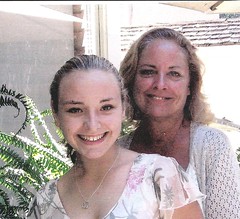
Mom and I in a paddle boat in Washington


Mom was also a fighter.   She was never the type to stay quiet in the face of injustice or wrong doing.  She always believed in helping people – especially the “underdogs” of the world.

When Mom stood up to wrong doings – it was magic.  She always came prepared with the facts and evidence.  She was strong and unwavering and never backed down.  When she was on a roll – people were afraid of her.  She was always ten steps ahead.  When it came to doing the right thing, Mom was never scared – or at least she never showed it.


Mom wanted me to see the world and meet family members that lived in other states. She would often let me travel with family members and close friends.


That isn’t to say that Mom and I always got along – because we definitely did not.  We are both stubborn control freaks, which did not always mesh well.  Our fights were huge.  Sometimes we would go days without talking to each other.  But we’d always find a way to get over it – generally through laughter.  And then we’d talk like we had never gotten in a fight in the first place.

Happy Birthday Mom.

Finding Mom in the SSDI

While browsing the Social Security Death Index on Ancestry.com for my great-grandfather, Max Doerflinger, I found an entry for my Mom.

My heart stopped when I saw it and I debated whether or not to click on it.  I finally decided to open it.  I read her name over and over again.  I cringed when I saw they listed the wrong last residence.  I held my breath and I read her birth date and realized that her birthday was only a week away.  And I let out a long sigh as I saw her date of death.  Then the tears came, but only for a moment.  But then I smiled when I saw the year she got her social security number – I didn’t know that information before.

Have you ever come across a record that gave you some mixed feelings?

Another Jamboree is Over

I am now home and recovering from a wonderful weekend in Burbank at SCGS’s Jamboree.  This was my 3rd Jamboree, and I had a blast!  There is nothing better than being in surrounded by old and new friends, top notch speakers, tons of wonderful and hardworking volunteers, and a bustling exhibit hall.  This was one amazing and memorable weekend – but I must admit that I am so happy to be home and resting.  An event like this can wear you out.

But that doesn’t mean that I didn’t get a lot of learning done.  I attended quite a few of the sessions offered over the weekend, which gave me new ideas and provided some much needed motivation to tackle some of my research problems.

But the real learning took place while I was getting to know some of my fellow attendees.  I loved seeing my friends and meeting new ones.  I was honored to meet the recipient of the Suzanne Freeman Memorial Student Genealogy Grant, Anthony Ray.  His specialty is Hispanic research and hopefully he will soon be a genealogy blogger!  (You should really consider donating some money to this amazing grant, which provides financial assistance to a young genealogist to help them attend Jamboree – the donate button is on the bottom of the page).

Overall – this conference was a huge success.  I had more fun than I could ever have imagined and I learned so much.  But I am also exhausted.