Many of you know that I have been a fan of using binders to organize all of your paper files. However, after lots of thought and reading DearMyrtle’s Organization Checklist for January, I have decided to make the switch.
Popularity: 1% [?]
Many of you know that I have been a fan of using binders to organize all of your paper files. However, after lots of thought and reading DearMyrtle’s Organization Checklist for January, I have decided to make the switch.
Popularity: 1% [?]
Posted in Blogging, Organization Tips/Tricks/Hints
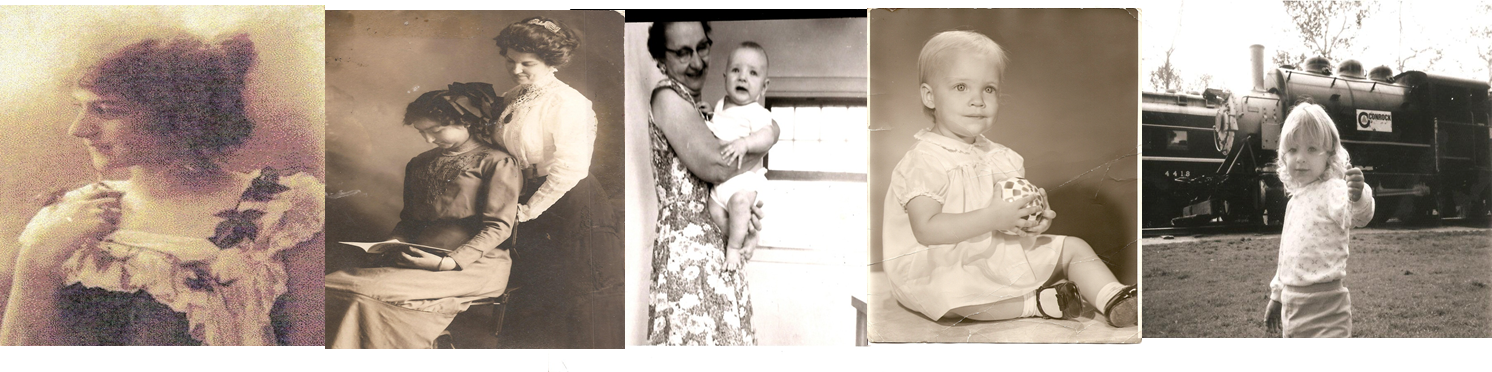
As genealogists, we all understand the huge amount of photos that eventually come into our care. We scour attics, basements, photo albums, all in an attempt to obtain more photos.
Popularity: 1% [?]
Those of you who have been doing genealogy for a long while probably remember DearMYRTLE’s original Get Organized Monthly Checklists that were originally on AOL’s Genealogy page (which, don’t bother going to AOL for genealogy help, because it isn’t there anymore). These checklists were designed by Ol’ Myrt herself to get everyone out of the chaos and into organization.
Popularity: 1% [?]
Hello challengers! I hope you all have been working hard at de-cluttering your genealogy (or atleast attempting to de-clutter your genealogy – during this time of year everyone gets an A+ for effort!)
Popularity: 1% [?]
Welcome back to part 3 of our De-clutter Your Genealogy Challenge. I hope you guys have been doing well so far in the challenge. (If you haven’t been doing too well – that’s okay too. Just try to catch up)
Popularity: 1% [?]
Welcome to part 2 of our get organized challenge. I have some more tasks for you – all of which focus on getting your desk/research area nice and ready to do some research in. You can’t do research if you don’t have the proper supplies, and part of being organized is having all the supplies you need at your fingertips.
So here are your tasks:
1.) Make sure that you have all of those office supplies that you need to do your research and make sure that they are stored nearby your desk so you can easily have access to them. Also, make sure you buy one of those cheap desk organizers (either the containers that go on top of your desk to hold pens and such, or the kind that go into your desk to keep everything in a separate compartment). Some of the supplies that I would suggest would be pens, pencils, computer paper and ink, a thumb drive (sometimes called a jump drive), file folders or binders with dividers (depending on which system of organization you use to keep your paper files organized), etc.
2.) Make sure your computer area is comfortable and easy to move around in. That means, make sure that your desk is big enough to fit your computer and still have a little room so that you can write something down if you want. Make sure that your chair is comfy, because nothing will hurt your back if you are sitting in a bad chair for hours on end. Bottom line: Just make sure the area feels comfortable to your tastes.
3.) If you haven’t done this already, figure out a system to organize your papers. This is one thing that I will not be going over in detail, because I’ve done it many, many times before. You can check out my videos on Youtube (www.youtube.com/elyses90505) and my other blog entries on it.
4.) If you haven’t done this already, find a computer program that will organize all of your data. The only real requirement on this one is that it can read, import, and export GEDCOM files (GEDCOM is the file type that is used for storing family trees).
5.) For now, put all of your pictures into big manila envelopes. Separate these pictures into categories such as “Mom as a baby”, “Trip to Disney World 1996″, etc. Label each envelop with the category and put all of these envelopes aside. We will deal with these slowly so that we don’t overwhelm ourselves. Trust me.
Good luck everyone, and I hope you guys are all doing well. Stay tuned because I am planning on making a video to show you my successes!
P.S: I am back to having internet at home on a consistent basis. Feel free to email me (GenealogistElyse@gmail.com) or comment on these blog entries. I would love to hear from you.
Popularity: 1% [?]
With the new year right around the corner, it is time to think about de-cluttering your life. In particular, I am talking about de-cluttering your family history. And I’m not just talking about that filing cabinet you have full of records – I’m talking everything from your computer genealogy program, that family website, your email inbox full of correspondence, the piles next to your computer, your accounts at genealogy websites, your contact list, etc., etc. Everything needs a good cleaning out once in a while!
By de-cluttering, I mean make your family history organized, efficient, to-do list ready, and presentable. Now, for some of you – this task may be HUGE and seem incredibly daunting. For others of you, this may seem like a good yearly clean-out. Whatever side of the fence you are on, I urge you not to panic, but to take some baby-steps towards achieving beautiful results with your family history.
The way I am going to conduct this de-cluttering task is by presenting smaller tasks. By breaking one big task up into smaller tasks, we will be able to feel some achievement even before we are done.
Now, I know that most of my work won’t be completed by the New Year – but, I am going to get a good start. I will have lots of time to work on my genealogy during the rest of December and January and I am definitely going to need it. The point is to get the ball rolling, and if it means having to keep de-cluttering through next year, then so be it. Remember, baby steps is all you have to take.
Popularity: 1% [?]
Have I mentioned that I love reading the blogs of other genealogists because sometimes – a new perspective can give you the jumpstart you need to get your genealogy in order.
Popularity: 1% [?]
First off…I would just like to say a huge “Sorry” for not posting very often very often lately. I have just been so busy with midterms and finals are right around the corner….but don’t worry. Only a couple more weeks until freedom (and loooooong nights of genealogy). Honestly, I can’t wait because I think I’m starting to go through some withdrawals.
Now then, it is getting to the holidays when everyone is taking a TON of pictures. Everyone wants to preserve the wonderful memories we all receive from the holidays. So this year, I am going to give you the gift of organizing all those pictures that you’ve accumulated over the years and make room for some new ones to be taken this year.
The first thing I recommend comes in one of two ways: Either an digital photo organizer like Picasa, or you are going to have to get ready to get down, dirty, and personal with your computer, meaning you are going to have to organize it all by yourself on your computer. Which ever way to choose to do this is up to you – and it will probably be based on how much you know computers and how much money you have to spend.
My preference is Picasa – there are three reasons for this: I love the fact that it is free (the budget of a student doesn’t leave much room for anything other than Easy Mac). Secondly, I like that it is organized into “albums” or folders. For me, albums make the most sense because thats how I would organize my pictures if they were printed (However if you like organizing your pictures by tags, there are other programs out there that do that). Finally, I love that it has an online component to it. I am a girl on the go…and I want to be able to see my pictures where ever I am. Picasa can do that.
It’s not to say that organizing it all by yourself is a bad thing…it is just that it is a lot more work. Some people prefer it this way because you can place the pictures where ever you want on your computer and you are in control to organize it however you want. Personally – I think this way is too complicated and I often get lost and confused…besides, it can’t even go on the internet.
Whatever way you choose to organize them – here are some general tips to make sure that your camera has some room for your new photos.
First – unload those pictures that are on your memory camera and get them on your computer or into your program. I understand that for some people, this may be a bit of a big task. With that said you have two options – either buy a new memory card or unload all of the pictures off of the one you got and make a plan to organize/name a certain number of pictures every day or week. But don’t get behind on this – or you are asking yourself for even more trouble.
Second – after every event from now on, once you get home, transfer all the pictures onto your computer or into your program. Then, start labeling/tagging/organizing all of those photos.
Third – Try to label every photo with the date (year is ok if you don’t know the exact date), place, and names of the people in the picture. Where you put this information depends on the program you use…but please do this. Write as much detail as you can – think of your descendants! They’ll love it if you do this and if it is all organized. Think of it as something that will save you a headache and money on all the Advil you’d be buying if you didn’t.
Finally – Figure out a way to easily share these pictures with others. Maybe you have a family website where you put them up or you distribute CDs to everyone at Christmas, or you upload them to a site like Walgreens.com where family members can print them out at their own convience and pick them up at their nearest Walgreens store. Pick what you like and what your family members like. Not only will it make Grandma and Grandpa happy that they have cute pictures of their grandchildren on their mantel, it will also be one more copy…and someday when your descendants are desperately looking for a picture of you – it may be the picture they recieve.
Popularity: 1% [?]
Posted in Organization Tips/Tricks/Hints
As I sat down with my computer durng my few moments of free time this week, gigantic cup of green tea in hand, I began scouring the many blogs that I read on a regular basis.
Over at the 24/7 Family History Circle sits a great article that, while a basic concept, is one that we genealogists often forget.
It was suggested that we should take time during this month (family history month) to create goals for ourselves regarding our family history.
I just wanted to expand on this idea, and give some tips that apply to goals in general as well as family history goals:
Good luck everyone – and I’d love to hear about your family history goals.
Popularity: 1% [?]
Posted in Organization Tips/Tricks/Hints